

If you take coffee seriously, you know that your setup — the combination of equipment, beans and water you use — is the soul of every extraction. Coffee Codex was designed to give you absolute control over this ecosystem. In this article, we dive into everything the Setup screen has to offer and how it connects to the rest of the app.
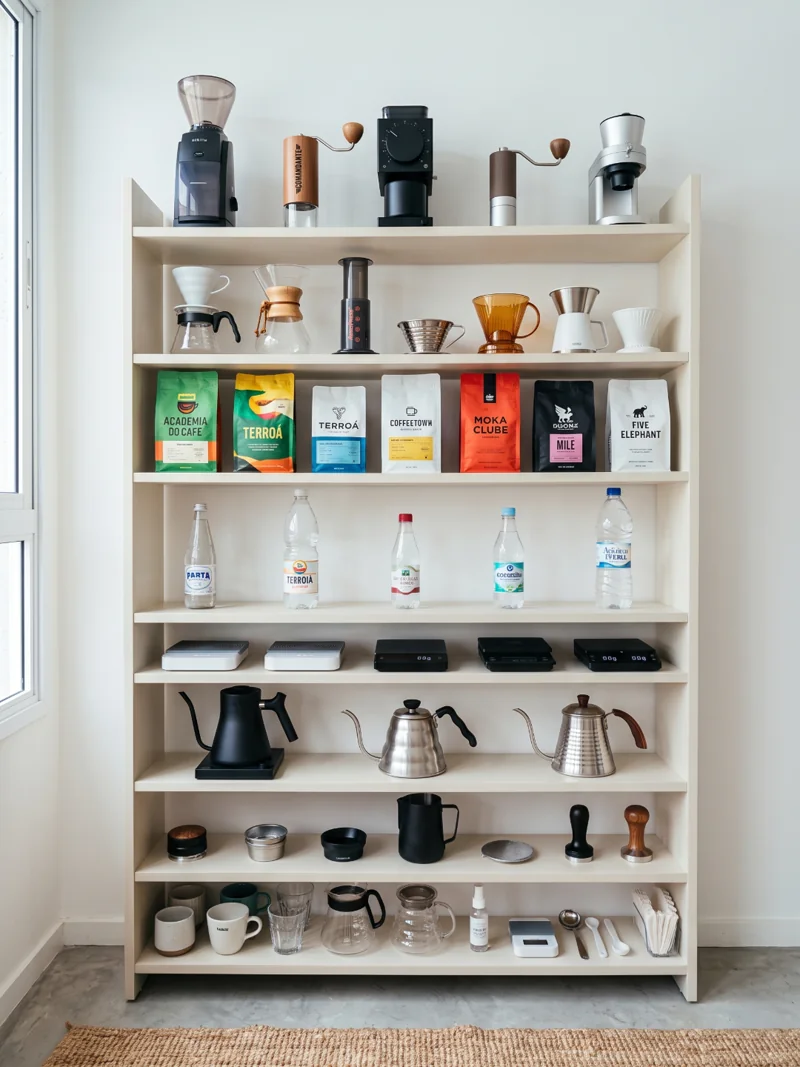
An Organized Showcase by Category
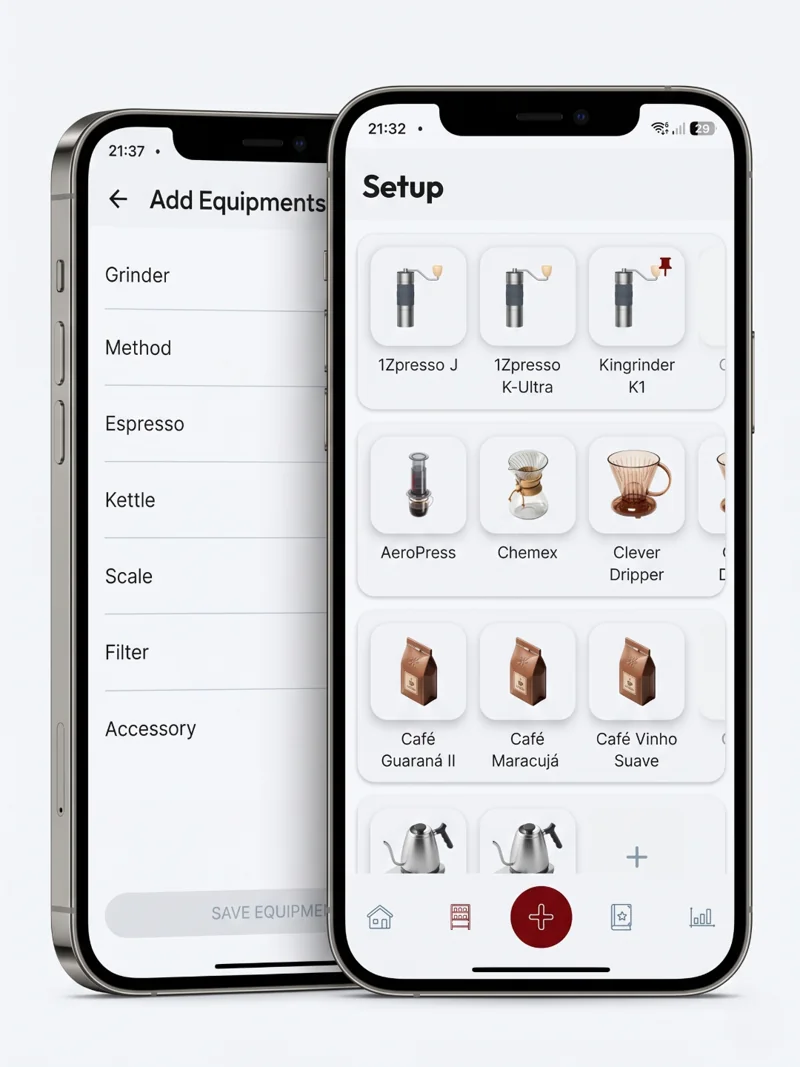
The Setup screen isn't an ordinary list. It organizes your items into shelves that you can reorder with drag & drop, complete with haptic feedback and bouncy animations. Each shelf represents a category of equipment or supply:
| Category | What it holds |
|---|---|
| Grinder | Manual and electric grinders with calibration profiles |
| Method | Over 35 methods (V60, Aeropress, Chemex, French Press…) |
| Kettle | Traditional and gooseneck kettles |
| Scale | Precision scales |
| Espresso | Espresso machines and accessories |
| Filter | Paper, cloth and metal filters |
| Accessory | Any other item (WDT, distributor, etc.) |
| Coffees | Your beans with inventory control |
| Waters | Bottled waters with mineral profile and stock |
Each item is displayed in a square card with a specific icon. Coffee Codex has a mapping of over 80 individual icons for specific equipment — your V60 will show the V60 icon, not a generic one.
Default Items and Management
You can mark any equipment as default — a pin icon appears in the corner indicating your daily grinder, your favorite method, etc. Non-editable or empty items appear with reduced opacity, making it clear what's ready to use.
Always Within Reach
Each shelf has a persistent "+" button at the end. Empty shelves show a centered card inviting you to add the first item. Tapping takes you to the registration screen specific to that category:
- Equipment: A multi-selection wizard with a complete catalog. Choose your model from dozens of pre-registered options.
- Coffees: Full registration with origin, variety, processing, roast, SCA score, flavor profile, roast/purchase/open dates.
- Waters: Complete mineral profile (pH, hardness, alkalinity, sodium, TDS).
Integrated Inventory Control
One of the most powerful features: Coffees and Waters have native stock control. You set the initial stock (grams for coffee, ml for water), the low stock threshold (alert when running low), and automatic debit (after each brew log, stock is deducted automatically).
After each brew, if stock falls below the threshold, Coffee Codex displays a low stock alert; one tap takes you directly to the restocking screen.
Auto-debit available on BARISTA planReorder with Style
Shelves are reorderable via drag & drop with scale animation (1.0 → 1.08x while dragging), shadow elevation (2dp → 8dp), spring animations (bouncy damping), haptic feedback at the start, during and end of drag, and persistence — the order is saved and restored between sessions.
Deep Details
Each item in the setup opens a rich detail screen. Equipment has DISPLAY, ADD, EDIT modes, flexible editable fields (via EditableField with configurable keyboard type) and metadata including brand, model, purchase date, price, store, material and color.
Grinders
Click-based calibration with presets for real models (Comandante C40, 1Zpresso JX-Pro, Baratza Encore, Niche Zero) and grind level mapping (Extra Fine → Extra Coarse) to microns and clicks.
Methods
Over 35 cataloged methods with individual icons, each with its own brewing characteristics.
Coffees
Complete profile: roast, variety, processing, altitude, SCA score. Roast, purchase, open and expiry dates. Inventory with low stock alerts.
Waters
Complete mineral profile: pH, hardness, alkalinity, sodium, TDS. Origin, volume, price. Inventory with alerts.
Integration with the Rest of the App
The Setup is the gateway to the entire Coffee Codex ecosystem:
- Setup → Details → Editing
- Setup → Recipe Creation (via BottomSheet)
- Setup → Brew Log (with automatic stock debit)
When you select a method in the setup, it feeds data to the playbook — the section where you store and discover new recipes. The selected water and coffee become ingredients in the brew timer. Everything connected.
Multi-device Synchronization
Setup data is stored locally with Room and synced with Firestore using an offline-first pattern (SyncState: SYNCED, DIRTY, DELETED). This means it works fully offline, syncs when connection returns, and your equipment, coffees and waters are available on any device.
Access Level Control
Coffee Codex respects different access levels:
| Feature | FREE | BARISTA (Premium) |
|---|---|---|
| Equipment registration | Unlimited | Unlimited |
| Coffee registration | 1 coffee | Unlimited |
| Water registration | 1 water | Unlimited |
| Grinder registration | 1 grinder | Unlimited |
| Auto inventory debit | ||
| Local data storage | ||
| Cloud sync |
FREE vs BARISTA
The FREE plan offers basic setup access: register one coffee, one water and one grinder, with all other equipment unlimited and data saved locally. The BARISTA plan unlocks full access, including auto inventory debit and cloud backup.
Visual Experience
The setup UI uses Material 3 with custom theming (AppTheme), fluid animations, shadows and transitions. Each card is a square with 1:1 aspect ratio, ideal for touch navigation. Width adapts dynamically to the device screen.
The Coffee Codex Setup is not just an equipment list — it's the command center of your coffee journey. Start by configuring your grinder, add your favorite method, register that special coffee you bought, and let the app take care of the rest.
Frequently Asked Questions
Download Coffee Codex for free
Build your personal coffee station with the most complete setup for specialty coffee. Available on Google Play.
Download Coffee Codex